
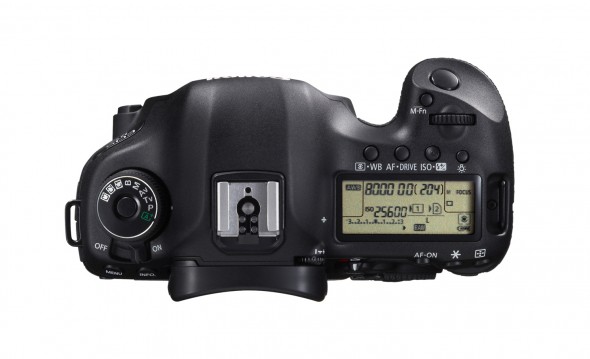
All cameras work under the same principles. They allow light to enter through an iris within a specific period of time. The light then exposes a digital sensor (or film) designed to interpret the levels, and color spectrum recreating the scene in front of you. Believe it or not, it only takes a simple “sealed from light” container (like a box), a piece of photographic paper (not inkjet paper), a small hole, and something to cover the hole to make a camera. The basic concept can be found at http://www.kodak.com/ek/US/en/Pinhole_Camera.htm. Its a great project for kids. We can cover this in more detail in a later post. For now, allow me to define these principles.
Shutter: (1/30, 1/60, 1/125, 1/250, 1/500, 1/1000, 1/2000)
The shutter is a curtain like device that opens and closes with the press of a button. Just imagine curtains in your home (minus the button part). Fast shutter speeds freeze motion (1/500 s), while slower shutter speeds show more motion (1/30 s). You will need a faster shutter speed when attempting to freeze fast moving kids. However, when taking static pictures, like posing in front of the Disney World sign, a slower shutter speed is acceptable. The shutters speed also plays a role in the amount of light reaching your sensor, or film. So late evening baseball games may force you to use a slower shutter speed, which in turn no longer freezes action. You compensate the lack of available light with your aperture.
Aperture: (1.4, 2.0, 2.8, 4.0, 5.6, 8.0, 11.0, 22.0)
The aperture is the pupil of your camera. A wide aperture (f/1.4) allows the most light exposure to the sensor, while a narrow aperture (f/22) restricts more. The smaller the f-stop the larger the number. There is a formula for this, but the intent is to keep things simple…for now. If you’re at the same baseball game mentioned above and the sun has set forcing a slower shutter speed, you can compensate with your aperture. Simply open it up to a wider f-stop. Each increment of adjustment coincides with the shutter. In other words, every time you adjust for a wider aperture, the shutter can increase in speed by the same amount. Settings of 1/30 @ f/5.6 may allow for a proper exposure, but they will not freeze action. By opening up your aperture you can go to 1/60 @ f/4.0; 1/125 @ f/2.8; or 1/250 @ f/2.0. Each time the aperture doubles, so does the shutters speed. One side effect of wider apertures is a narrower dept of field (background blur). This can be very desirable and will be discussed in a later post.
ISO (International Organization for Standardization) http://www.iso.org/iso/home.html
Have fun researching this. Yeah I know, the acronym is out of order. From a photographers perspective, ISO is a measurement of a digital sensor, or film’s sensitivity. The higher the ISO (100, 200, 400, 800, 1600, 3200) the more light is gathered. Manufacturers accomplish this with amplifiers in digital sensors, and chemicals in film. Increasing your ISO at the same baseball game allows for a faster shutter speed, and can allow a narrower aperture. Why would you want a smaller aperture? Well, you may want more of the image in focus – remember the blurred background affect of the wide aperture setting.
These three settings are the basic light gathering mechanisms of any camera. They all directly affect one another. Consider using your Shutter Priority option for sports (aperture and ISO are automatically set); your Aperture Priority option for portraits/low light environment (without flash – more to come) (shutter and ISO are automatically set), and Manual option when you are ready to control all three. These settings are often disguised in “Scene Modes,” if it makes sense then use it.
Shutter Priority (S, Tv) – Freeze action
Aperture Priority (A, AV) – Control background blur
P (Program) – Automatically controls all three functions while limiting shutter speed to no less than 1/60)
M (Manual) – Full control
